
How to choose a business automation consultant
Compare business automation consultants using a practical pilot scorecard. Check costs, failure handling and ownership before committing to a full rollout.
Your team copies the same customer details into three systems. Someone checks a spreadsheet to see who needs a reminder. You want that work off their plate, but hiring a business automation consultant adds another decision: what exactly should you pay someone to fix?
Start with a piece of work you can observe from beginning to end. Ask each consultant to explain what will change, how you will test it, and who will look after it. Compare their answers against the same brief before comparing prices.
Decide whether you need outside help
Check what your existing software can already do. If your booking system can send the reminder you need, enabling that feature may solve the problem. Ask the person who manages the system to investigate before commissioning an integration.
Outside help becomes worth considering when the work crosses several systems, nobody has time to maintain the connections, or exceptions keep sending staff back to manual processing. A consultant's role should include understanding those exceptions and leaving your team able to operate the result.
If nobody can agree who owns the process, settle that first. An automation needs someone to decide what should happen when the normal path does not apply.
Write a brief around one business outcome
Give candidates the same starting point. For example, a service business might ask for help getting signed proposals into its onboarding process. The proposed outcome: each accepted proposal produces one complete onboarding record, assigned to the right person.
That is a hypothetical brief, not a Yvexan customer result. Notice what it leaves open. A consultant can investigate whether the answer is a built-in feature, a connection between tools, or a custom system.
Use these prompts to write your own brief:
- What event starts the work, and what counts as finished?
- Who performs each step today?
- Which systems hold the information?
- Where do staff wait, copy information or correct mistakes?
- Which decisions must stay with a person?
- What change would make the project worth keeping?
Bring examples of an ordinary case and an awkward one, with sensitive details removed. An accepted proposal with a missing billing contact can reveal more about the proposed system than a demonstration where every field is complete.
Compare proposals by the evidence they offer
A proposal should let you see what you are buying. Ask for a written boundary around the work, including exclusions. “Automate onboarding” could mean anything from creating a folder to coordinating documents, payment and staff allocation.
For the proposal-to-onboarding example, request a demonstration of the following:
| Test case | What you need to see |
|---|---|
| A complete proposal is accepted | One onboarding record appears with the agreed fields and owner. |
| The acceptance event arrives twice | The second event does not create another onboarding record. |
| A required detail is missing | The case is held for review, with the missing detail identified. |
| A destination system is unavailable | The failure is visible and a named person can recover it. |
| A staff member needs to stop the workflow | They can pause it and follow a documented manual process. |
These are suggested acceptance tests. Agree the exact expected behaviour with your consultant before the pilot starts.
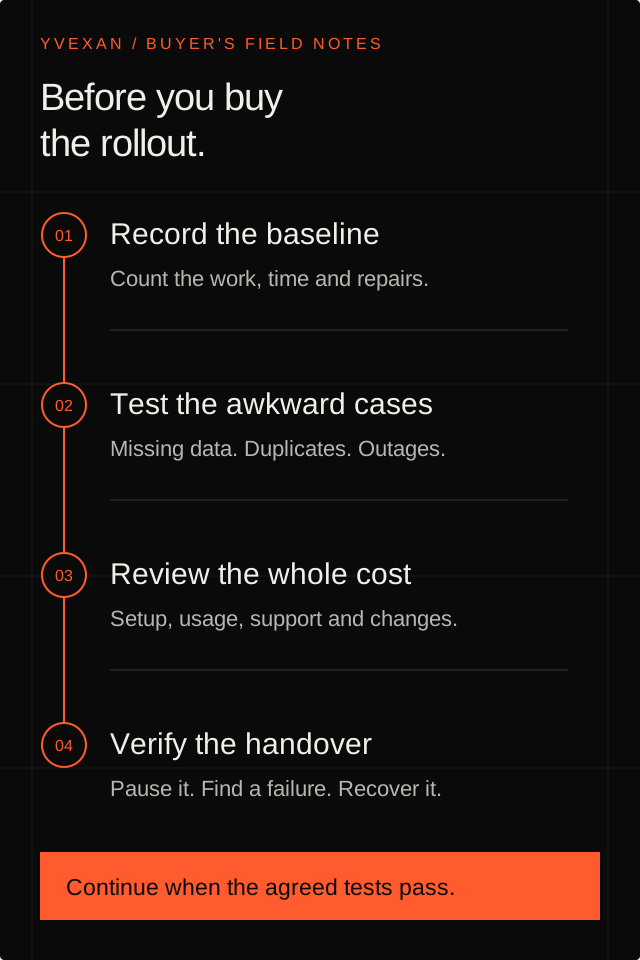
The order matters. A demonstration proves that a path can run. Testing awkward cases and completing a handover help you judge whether your team can rely on it.
Ask to see what happens when it fails
Have the consultant deliberately break a connection in a safe test environment. Then watch how the problem is detected, who is alerted, and what happens when the connection returns.
For example, n8n documents error workflows that can respond to failed executions, including by sending alerts. That capability still needs to be configured for the actual workflow. A platform having an error-handling feature does not establish that your implementation uses it.
Ask who reviews failures, how long execution records are kept, and whether recovery can repeat an action such as sending an email or creating an invoice. Record those answers in the handover. Our guide to building a reliable lead handoff explains why ownership and duplicate handling deserve explicit decisions.
Separate time saved from money saved
Measure the current process before the pilot. Count how often the task happens, how much active staff time it takes, and how often it needs correction. During the pilot, count review time and repairs too.
Microsoft's business-value guidance recommends measures such as response times, error rates and adoption, alongside costs and user feedback. A useful assessment can therefore include whether staff use the system and whether customers get a faster answer, as well as hours reclaimed.
Treat recovered time as capacity until you know how it will be used. If employees spend fewer hours copying records, payroll does not automatically fall. The benefit might be handling more customer work, reducing overtime, or avoiding another recurring task landing on the owner.
Ask for a cost breakdown covering setup, software subscriptions, usage charges, support and future changes. Confirm the currency and whether quoted amounts include applicable taxes. Ask what changes in the estimate if your transaction volume doubles. A low setup quote can be difficult to compare with one that includes ongoing support.
Decide whether the workflow needs an AI agent
Ask which part of the work requires judgement. Copying an approved field between systems may need a predictable rule. Interpreting a loosely written enquiry may benefit from AI, with checks around the output.
Anthropic distinguishes predefined workflows from agents that choose their own steps and tools. Its guidance recommends starting with the simplest approach that meets the task, because agentic systems can add cost and latency.
If a consultant proposes an agent, ask which actions it can take, what it must ask permission to do, and how incorrect decisions will be found. Changes to prices, payments or customer commitments need explicit boundaries. Our article on when an AI assistant should hand back to a person gives examples of where to draw them.
Use a pilot scorecard before deciding to continue
Keep one short record that both your team and the consultant can review. For each item, record the observed result and any unresolved issue:
- Outcome: Did the agreed work finish correctly on the test cases?
- Effort: How much staff handling remained, including reviews and repairs?
- Exceptions: Did missing information and failed connections reach the right person?
- Cost: Are recurring charges and support responsibilities clear?
- Handover: Can your team pause the workflow, find a failed case and follow the recovery instructions?
Agree which items must pass before launch. Do not average away a failed duplicate-invoice test because the other items look good. If a required test fails, revise the scope or implementation and test it again.
Before paying for the full rollout, also confirm who controls the accounts, what access the consultant retains, and what you receive if the relationship ends. Ask to see the documentation and export process rather than relying on a promise that a handover will happen later.
Try the workflow with Yvexan
Yvexan builds custom AI systems and business automations around the tools and work your team already uses. Our free pilot includes everything in the solution you would purchase. If you choose to continue, you buy the solution for the full fee. If you walk away, you pay nothing.
Bring one workflow to the first conversation: where it starts, where it gets stuck, and what you want to happen instead. We can discuss the scope and the evidence you would need before deciding to buy.
Put it to work.
Show us the part of your business you want to improve. We can help you choose a starting point.
Book a free pilot